
Home » Password Recovery for FTP Clients and Servers » Password Recovery For quick and easy FTP Server
 |
Password Recovery For quick and easy FTP Server |
49 USD |
Software Features:
- Retrieve lost password from Quick ‘n Easy FTP (Server) Software.
- Compatible with Windows 8, Windows 7, Windows Vista, Windows XP and other latest operating systems.
- Recover passwords even with special characters.
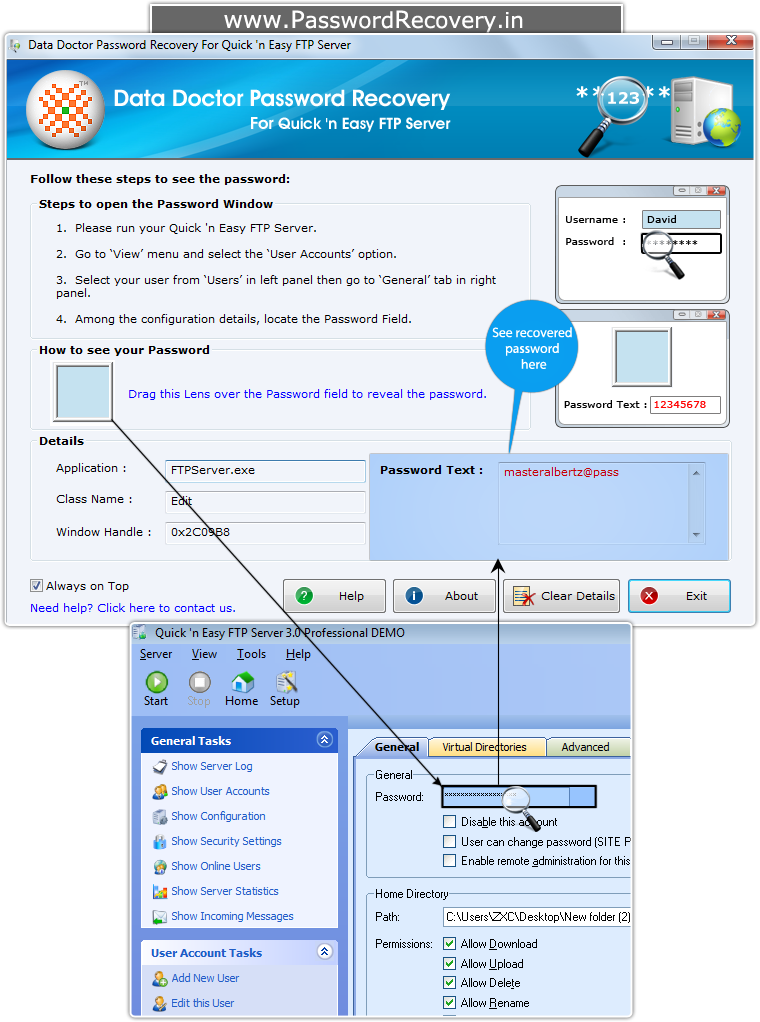
Password Recovery by "Password Recovery Software For quick and easy FTP Server"

How To Recover Password From quick and easy FTP Server Software?
Step – 1 : Install and Run Password Recovery For Quick ‘n Easy FTP Server
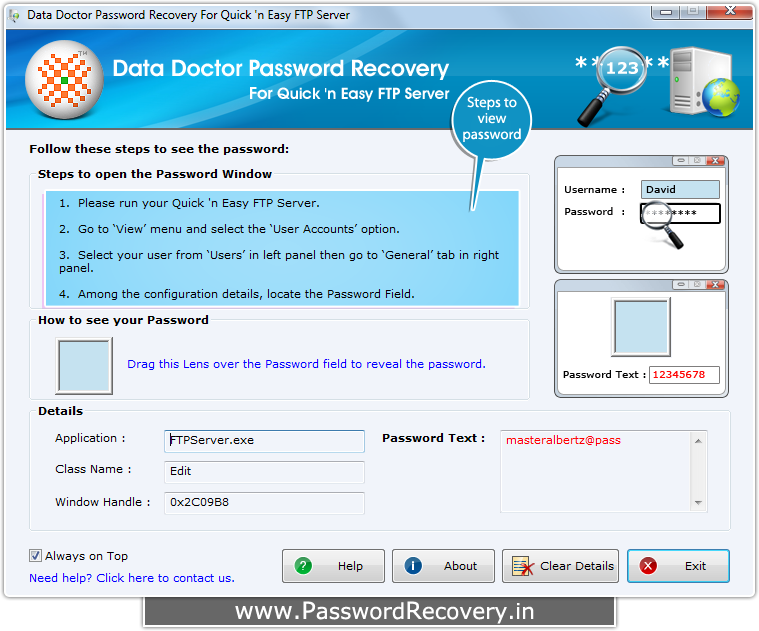
First of all install “Password Recovery Software For Quick ‘n Easy FTP Server” on your computer system.
Step – 2 : Run Quick ‘n Easy FTP Server and select 'User Account' option from 'View' Menu
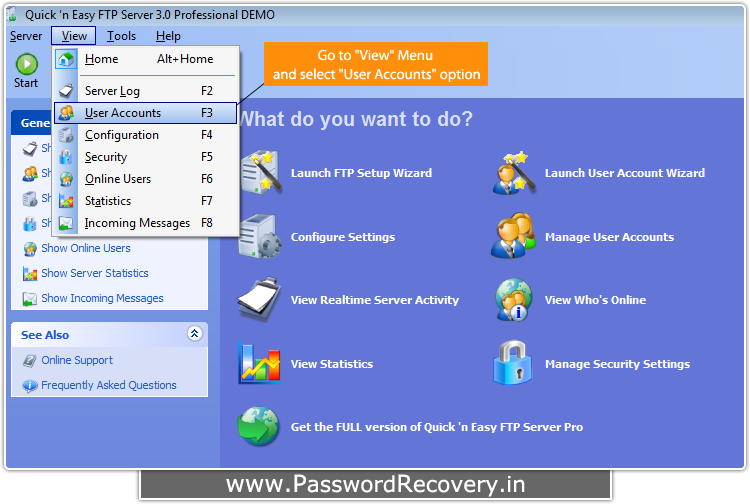
Now, open your Quick 'n Easy FTP Server then Go to 'View' Menu to select 'User Accounts' option.
Step –3 : Locate the Password Field
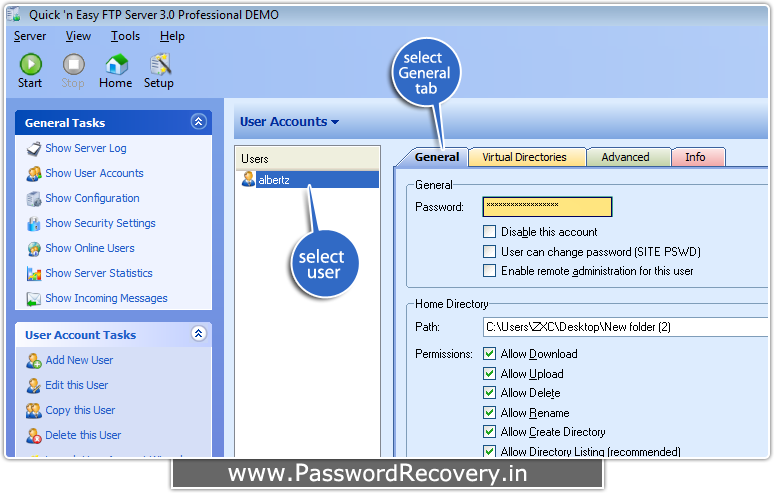
Select user from 'Users' in left panel then go to 'General' Tab in right panel to view password field.
Step – 4 : Recover Password
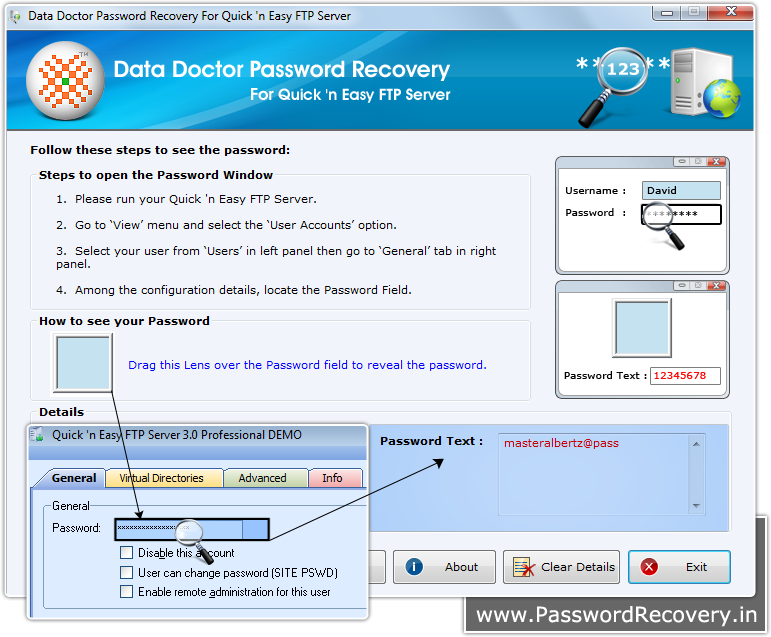
Simply drag lens over the password box to view password. Recovered Password is displayed in Password Text Field (for e.g. masteralbertz@pass) at right side, as shown in above figure.


